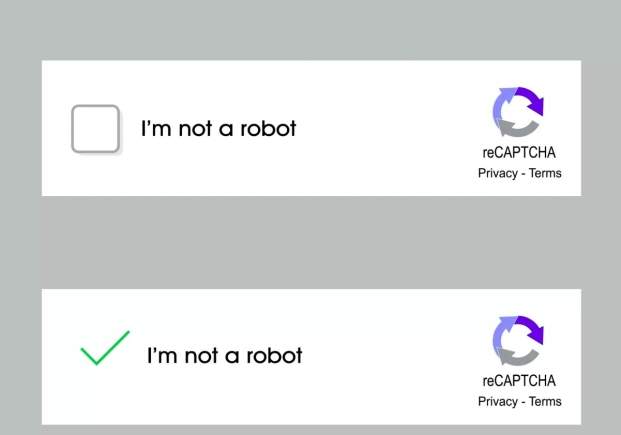
A sophisticated new phishing scam is making the rounds, and it is preying on one of the most familiar features of the modern internet: the CAPTCHA verification test. Cybersecurity experts and the United States Federal Trade Commission (FTC) are warning users about a deceptive scheme that tricks individuals into inadvertently installing malware on their own devices.
The scam unfolds when a user visits a website and is unexpectedly presented with a screen that looks remarkably like a legitimate CAPTCHA request.
However, instead of the usual task of identifying traffic lights or typing distorted letters, the verification prompt instructs the user to type a series of commands, such as "Windows + R," then "Ctrl + V," and finally "Enter."
The screen may frame this as a standard "security verification," but in reality, the user is pasting and executing hidden malicious code. Once executed, this malware can swiftly compromise the device, granting scammers access to email login credentials, mobile banking information, and other sensitive personal data.
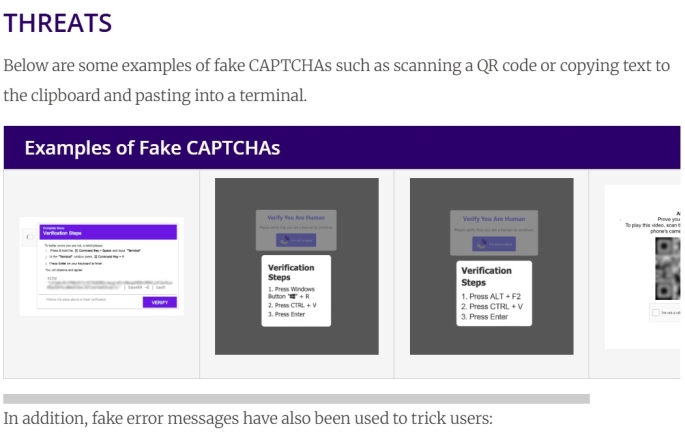
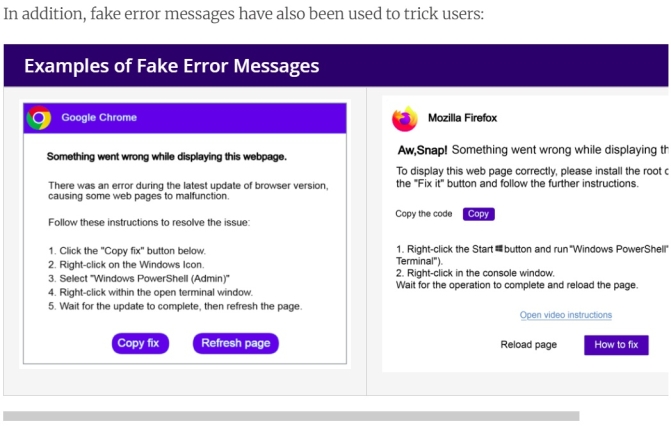
The crucial distinction is that legitimate CAPTCHAs will never ask a user to run commands on their device or interact with their operating system's terminal. The red flag is any request that moves beyond the browser window and into the system itself. This tactic has been observed across various platforms, with scammers also deploying similar schemes through fake error messages in browsers like Chrome and Firefox, or even using QR codes to direct users to malicious sites.
The Federal Trade Commission (FTC) advises that if a user notices something downloading after responding to a CAPTCHA, they should act immediately.
The first step is to disconnect from the internet to prevent scammers from accessing any online accounts. Following this, a thorough security scan should be run to remove the malware, and all software should be updated to protect against vulnerabilities. It is also critical to change passwords and enable two-factor authentication using a different, uncompromised device.
The Ghanaian public is advised to remain vigilant and treat any CAPTCHA that seems out of place or unusual with extreme suspicion.
Cybersecurity best practices dictate that one should never execute terminal commands prompted by a website through any verification interface. If such a scam is encountered, it is recommended to take a screenshot and report the incident to the relevant authorities.